
26 September 2026 · AW Prod
A Small-Business Website Brief Developers Can Use
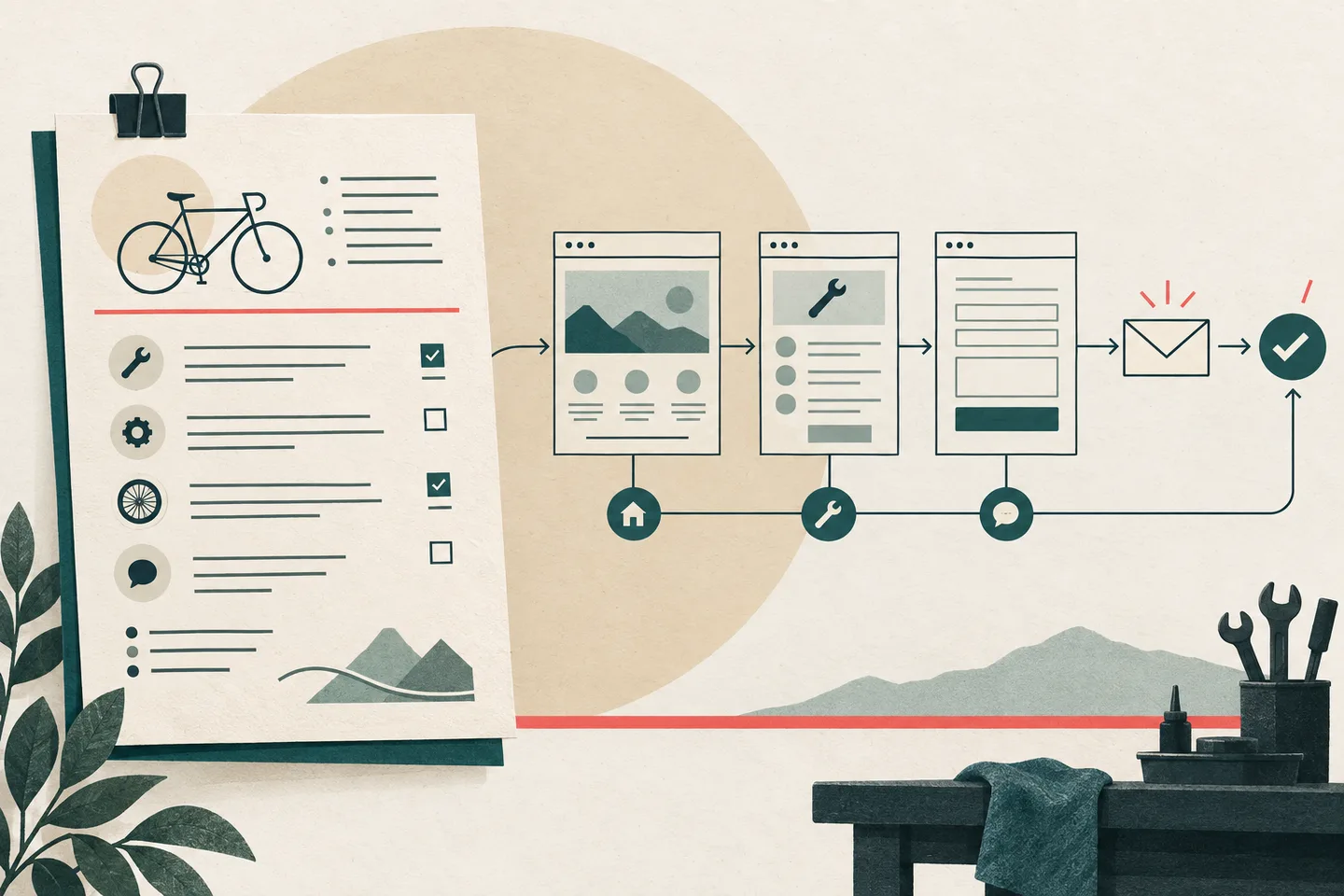
“We need a better website” describes a concern, not work a developer can estimate. Better for whom? What should a visitor be able to do? Which business details are approved for publication? A useful website brief answers those questions before anyone chooses a layout or build method.
The example below concerns a hypothetical local bicycle repair workshop. Visitors need to understand its services and send a useful enquiry. Nothing in the example assumes that the workshop offers online booking, publishes prices or promises a response time. Its owner must decide those matters. AIGA’s proposal guide asks about audience, required work, source material, constraints, reviewers and approval. Those questions also provide a starting point for a website brief.
A working brief for the workshop
Give the developer a short document with the following decisions. Mark an item “to confirm” where the owner has yet to decide; that is a prompt for discussion, not permission to guess during the build.
- Audience and purpose: People considering a bicycle repair should be able to see whether the workshop covers their type of work and how to enquire. Existing customers may need the same contact route.
- Visitor action: From a relevant service description, reach Enquiry and send the details the workshop needs to consider a request. The owner will decide whether to offer another contact method.
- Pages: Home, Services, About and Enquiry. Add individual service pages only if the approved service groups have enough distinct content to warrant them. Confirm the number before estimating.
- Owner-supplied material: Approved service names and descriptions, service-area wording, business identity and contact details, photographs the business may use, and any required policy or privacy text. Identify the final version of each item.
- Enquiry delivery: A form is proposed. The owner must approve where requests go, who can access them and what should happen if delivery fails. Describe any existing software before asking for an integration estimate.
- Constraints: Use only approved business claims. Do not assume prices, availability, turnaround times or guarantees. List existing pages and addresses that must be preserved.
- Sequence and approval: Resolve content and open decisions, agree page structure and copy, build and test, then review. Set dates after the owner supplies the material and the developer estimates the agreed work. One named owner approves claims, copy and the final enquiry journey.
The page count matters. One Services page with six short sections is different work from six detailed service pages. The brief should expose that choice before it becomes an estimate, together with the content each page will need.
Turn the goal into page jobs
“Look professional and bring in more enquiries” does not describe a deliverable. Translate it into questions a visitor brings to the site and a job for each page:
- Am I in the right place? Home identifies the workshop, its approved service area and a clear route to repair information. The owner supplies and approves the introduction.
- Can they help with my bicycle? Services explains approved categories and any limits the owner wants stated. Collect the service list, group related work and review every claim.
- Who will handle my request? About gives a concise, verified account of the business. Use approved copy and assets; leave out credentials or history that the owner cannot verify.
- What should I do next? Enquiry tells visitors what information to provide and offers the agreed submission route. Define the questions, destination, confirmation and failure handling, then test the complete path.
If enquiries are the priority, a clear route from Services to a working form belongs in the core scope. A polished home page cannot compensate for a broken contact journey. Visual decisions should support the visitor’s route once the required pages and actions are understood.
Write open decisions beside the page map. The owner must confirm the service categories, publishable contact details, geographic wording and whether a form suits the business. The developer must establish whether the chosen submission destination can be connected and tested. If photographs or existing copy are unavailable, agree whether the affected page can proceed without them. Each answer may change the content effort or technical estimate.
A request for “booking” needs particular care. It could mean a request for an appointment, a calendar showing availability or a connection to scheduling software. These are different tasks. Ask what a visitor should be able to do, and specify any business rules, before estimating. Apply the same discipline to maps, reviews, analytics, languages and customer-record systems.
Set acceptance checks for the journey
Acceptance checks describe what someone can verify on the finished pages. The owner need not choose a framework, host or form service. The developer can propose an approach while both parties know what “done” means.
Enquiry path
A visitor reading an approved service page can identify the next step and reach Enquiry. The page explains the form’s purpose. Every field has a visible label, required information is identified, and the form asks only for details needed to consider the request. If the visitor misses a required answer, the page explains what to correct without discarding the other answers. A valid submission displays a clear confirmation. Testing must also establish that the request reaches the owner-approved destination.
The W3C Web Accessibility Initiative’s forms tutorial covers labels, instructions, validation and feedback. Use it when checking the form, while keeping the final field list and delivery method subject to the workshop’s decisions. A success message in a browser alone does not prove delivery.
Page structure and access
On Home, Services and Enquiry, a reviewer can identify the main heading and follow section headings in a sensible order. Navigation, main content and footer are distinguishable regions. Link text explains its destination in context, including the route from a service to Enquiry. A keyboard user can reach the content and complete the proposed enquiry journey.
The W3C page-structure tutorial explains how headings and meaningful regions help people navigate. Apply those checks to each page, then test the actual interaction. A sound heading structure alone does not establish that the whole site is accessible.
Owner sign-off
Give the named approver a review version containing every agreed page, final service wording and enquiry confirmation text. Feedback should identify the page and requested change. The approver records which checks pass and which remain open, then identifies the approved version. Record later requests that add work beyond the agreed brief separately.
Approval of a visual mock-up does not establish approval of business claims, contact details or a functioning form. The owner should read the words visitors will see and try the journey visitors will take. An unresolved decision remains open in the review record.
Use the brief for an estimate and handoff
Place each proposed page beside its owner-supplied material, open decisions and acceptance checks. The developer can then separate defined work from work that depends on an answer or technical investigation. For this workshop, the number of service pages, approved claims and assets, and enquiry destination are the main estimate boundaries. If the owner changes one, revisit the relevant part of the estimate.
Keep the brief available during review. Check each page against its job: can a visitor answer the intended question and take the intended action? At sign-off, run the acceptance checks on the version the owner will approve. Record corrections and new requests clearly so the handoff reflects the work actually agreed.