
26 September 2026 · AW Prod
Website Content Acceptance Checklist Before a Small-Business Launch
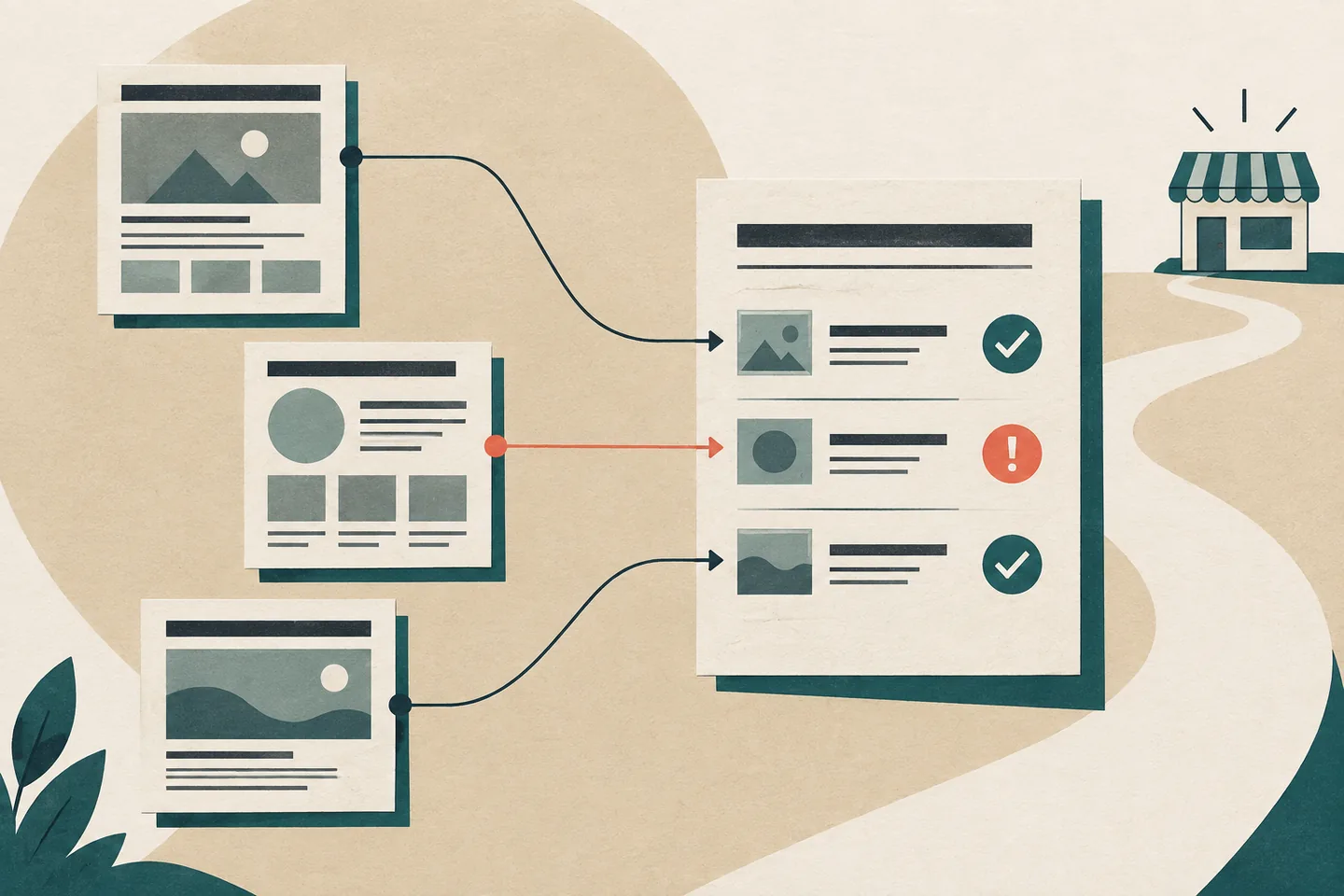
A page can look finished while its claims, images or next step remain unapproved. Review content against the pages visitors will actually see, route by route. Record who checked each page, what they checked and which version they approved. This gives the business owner, writer and developer a shared answer when a late edit raises a question.
Define the job of each page
For each route, state who it serves and what that visitor should be able to do. “Explain repairs” is vague. “Help a visitor decide whether the workshop handles their type of repair and find the enquiry route” is testable. Check whether another page already serves the same task before adding a near-duplicate.
Essex County Council’s publishing checklist calls for a clear user need, a duplication check, a subject-matter fact check, a content review, an assigned expert and a review date. A small team can use those questions even if one person fills several roles. The person who knows the service should check its facts; the person authorised to approve public wording should sign off the final page.
A target search term does not establish whether a page works. Google’s people-first content guidance asks whether an intended audience would find the content useful and leave with enough information to help achieve its goal. For an acceptance review, ask whether a visitor can understand the offer, its relevant limits and an appropriate next step without guessing.
Keep one acceptance record per route
A simple sheet is enough. Give every page a stable route and a named owner, then record the following decisions:
- Visitor task: the question the page answers or the action it helps someone take.
- Approved facts: service descriptions, names, credentials, locations and conditions checked by someone able to verify them.
- Copy version: the dated preview or other stable reference that identifies the exact words reviewed.
- Images: who supplied each file, what website use is permitted and whether the image accurately depicts the subject.
- Next step: the visible link or button wording and the destination it promises.
- Decision: open issues, the named approver, approval date and a later review date.
For a hypothetical bicycle repair workshop, the home page might need an approved business description and a clear route to services. A services page needs its list of work checked against what the workshop actually offers. An about page needs names or credentials verified before publication. An enquiry page needs approved labels, instructions, errors and confirmation text. These are examples of decisions to make, not facts about a particular business.
Mark each item as approved, awaiting evidence or needing a change. Avoid a single pass or fail box for the whole site: a missing image permission should identify the affected image and page, while an incorrect service description should identify the sentence to amend. If a page has no images or form, record that as not applicable rather than leaving a blank that another reviewer must interpret. This keeps the sheet useful without making it elaborate.
Put real names rather than role labels in the working sheet. The page owner can gather answers from others, but one person should have final editorial authority. Keep evidence beside the decision: the approved service list for a service claim, the rights record for a photograph, or the agreed destination for a button. If proof is missing, remove the claim or hold the page for review. Do not turn an unresolved item into an approval.
Read the rendered page as a visitor would
Start with the page title, main heading and opening paragraph. Do they say what the page covers and answer the visitor’s immediate question? Continue through headings, body text and next step. Put a condition where the visitor will see it before taking an action that depends on it. Check the final preview, because navigation, layout and button labels can differ from a copy document.
The Government Commercial Agency’s style checklist prompts checks of reading order, heading structure, descriptive links, contrast and alternative text. An editor can judge whether the words make sense in their displayed order; the developer should check how that order and structure are marked up. Review the page at narrow and wide widths so a changed layout does not hide essential context.
Read link text without its surrounding sentence. “Repair services” identifies a destination more clearly than “Learn more”. Open the destination and check that it matches the invitation. If a button says “Send a repair enquiry”, it should lead to the agreed enquiry task, not a general contact page that leaves the visitor to search again. Recheck links after routes or page names change.
Headings should describe their sections and follow a sensible order. Large type alone does not make text a heading. The W3C Web Accessibility Initiative’s page-structure tutorial explains how page regions and logically nested headings support navigation and understanding. The editor should check heading wording; the developer should confirm that the rendered structure reflects it.
Check images and forms as content
For each image, establish permission for this use and check what it communicates. A photograph labelled as a particular service should depict that service. If an image carries information, check that its alternative text conveys the relevant purpose. If it is decorative, ask the developer to handle it accordingly for assistive technology. Possession of an image file alone does not establish publication rights.
Read a form from introduction to confirmation. Does it explain what the request is for? Are labels and required-field instructions clear? If someone makes a mistake, does the error identify what to correct? Does the confirmation describe only the response the business has actually agreed to provide? Avoid promises about timing or outcomes that no one has approved.
Try the form with an empty required field and with an obvious input error. Read the message in the place where it appears, then compare it with the approved wording. If the form requests personal information, ask whether each field is needed for the stated task and whether the page explains its use clearly. Pass questions about data handling to the person responsible for the site's privacy information.
The W3C’s forms tutorial covers labels, instructions, validation and feedback, and advises asking only for information needed to complete the task. Editorial approval covers those words. A developer must separately test the working form, its approved submission destination and its failure behaviour. A convincing success message cannot show that an enquiry arrived.
Resolve issues against a specific version
Record each issue with its route, preview version, description, resolver and approver. “Services looks good” is too broad to trace after an edit. A useful entry might say: “Services page, preview version 4: opening mentions a service absent from the approved list; service lead to verify, writer to revise, business owner to approve.” Close it only after checking the correction in the review version.
At final review, show the approver the complete page with its navigation, images, links and form text where relevant. Record the route, exact version and approval date. A later change to a claim, image or action needs a fresh review of the affected page. Keep unresolved limitations visible with an owner; an unverified claim cannot be treated as signed off.
Separate content approval from launch checks
Editorial acceptance establishes that the visitor task, words, facts and images are approved on a named version. Technical checks establish that the intended version builds and loads, links reach the right pages and forms work. Record both results and who checked them. Before launch, compare the candidate site with the approved version and return any changed visible content for review. Set a later review date for information that may change after publication.
For a SaaS pricing page, acceptance should separate the approved first-party facts from what an AI assistant says about them. QuotedWrong compares sampled AI pricing claims with dated source facts; a discrepancy is a review item, not evidence that the approved page itself is wrong.